Book plugin
- Purchase a license for the plugin at https://laolaweb.com/plugins/personio-wordpress-plugin/pro-version-kaufen/
- You will immediately receive an e-mail with the download link for the setup and the corresponding license key.
Installation
Prerequisite
- You need the setup for the plugin for which you have received a download link by e-mail.
- The free plugin Personio Integration Light must be installed and activated.
Install manually
- Download the setup whose download link you received by e-mail.
- In your WordPress backend, go to Plugins > Add plugin and click on the „Add plugin“ button.
- In the file dialog, select the file you downloaded in step 1 and upload it.
- Then activate the plugin.
Per FTPFTP File Transfer Protocol Install
- Go to the official plugin website and click on „Download“.
- Then upload the ZIP file via FTP to the directory „/wp-content/plugins/“.
- Activate the plugin via the „Plugins“ menu in WordPress.
Enter license
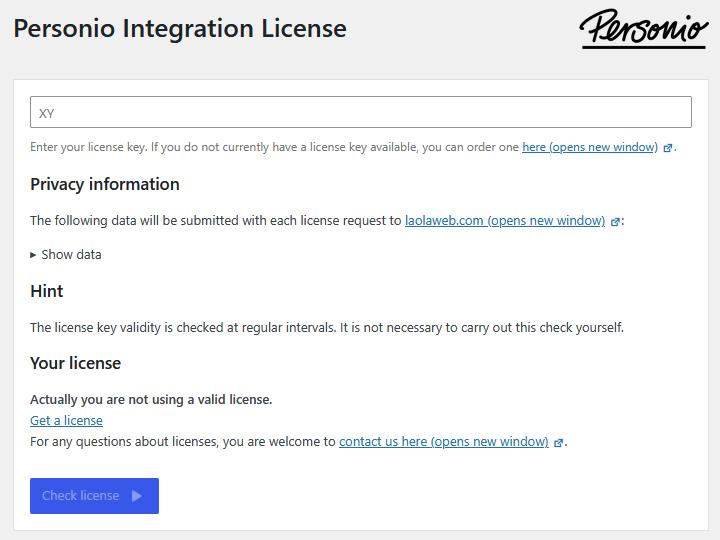
After installing and activating the plugin, you must enter the license key you received in order to be able to use the plugin to its full extent. To do this, go to Settings > License in the menu on the left.
Leave a Reply