External files in the media library
Articles
Use files from your AWS S3
The „External files in the media library“ plugin allows you to use files from various external sources, e.g. from AWS S3. Read more
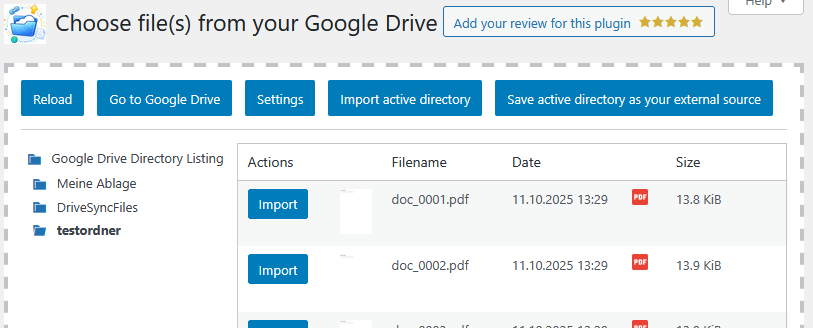
How can I import files from a public Google Drive?
With the External files in the media library plugin, it is possible to store files available in a public Google Drive in your media library as external files. The best way to do this is described here. Read more
Integrate files via WordPress REST API
The „External files in the media library“ plugin allows you to use files from various external sources, e.g. via the WordPress REST API. Read more
I want to upload .tar.gz files—how do I do that?
Files with the extensions .gz and .tar.gz are not permitted by WordPress itself. This is primarily for security reasons, as these files are unfortunately often used for attacks or to infiltrate malware. With the plugin „External Files for the Media Library,“ you can still upload them to WordPress—as described here. Read more
Settings for file types
You can determine how the plugin handles file types supported by WordPress. The default settings allow all files to be stored externally. Read more
Integrate files from the local server
The plugin „External files in the media library“ allows you to use files from various external sources, e.g. from the server on which WordPress itself is installed. Read more
Free up storage space and move files to external storage
Nothing is more annoying than having a super interesting website project but no more storage space available on your own hosting. How the plugin „External Files in the Media Library“ can help with this is described here. Read more
Create an image gallery from an FTP directory
With the „External Files for the Media Library“ plugin, it is possible to access external directories in order to use the files contained therein in image galleries. Read more
Can I restrict other users from storing external files?
Yes, the External Files plugin in the media library comes with a wealth of permissions. Here you can find a description of what is possible. Read more